In the neon-drenched, chaotic wonderland of New Eridu City, sometimes you just gotta stop and smell the… well, the ozone? The sizzling noodles? Or maybe just take a picture of a particularly judgmental-looking cat. That’s right, folks! The camera feature in Zenless Zone Zero isn't just for show; it's your personal window into the soul of this cyberpunk metropolis. Whether you're a budding street photographer or just trying to complete those pesky daily tasks (looking at you, feline fanatics), learning to wield this digital eye is key. So, let's dive into how you can go from a tourist with a phone to a veritable shutterbug of the Sixth Street.
How to Unlock Your Inner Ansel Adams (or Just Get the Camera)
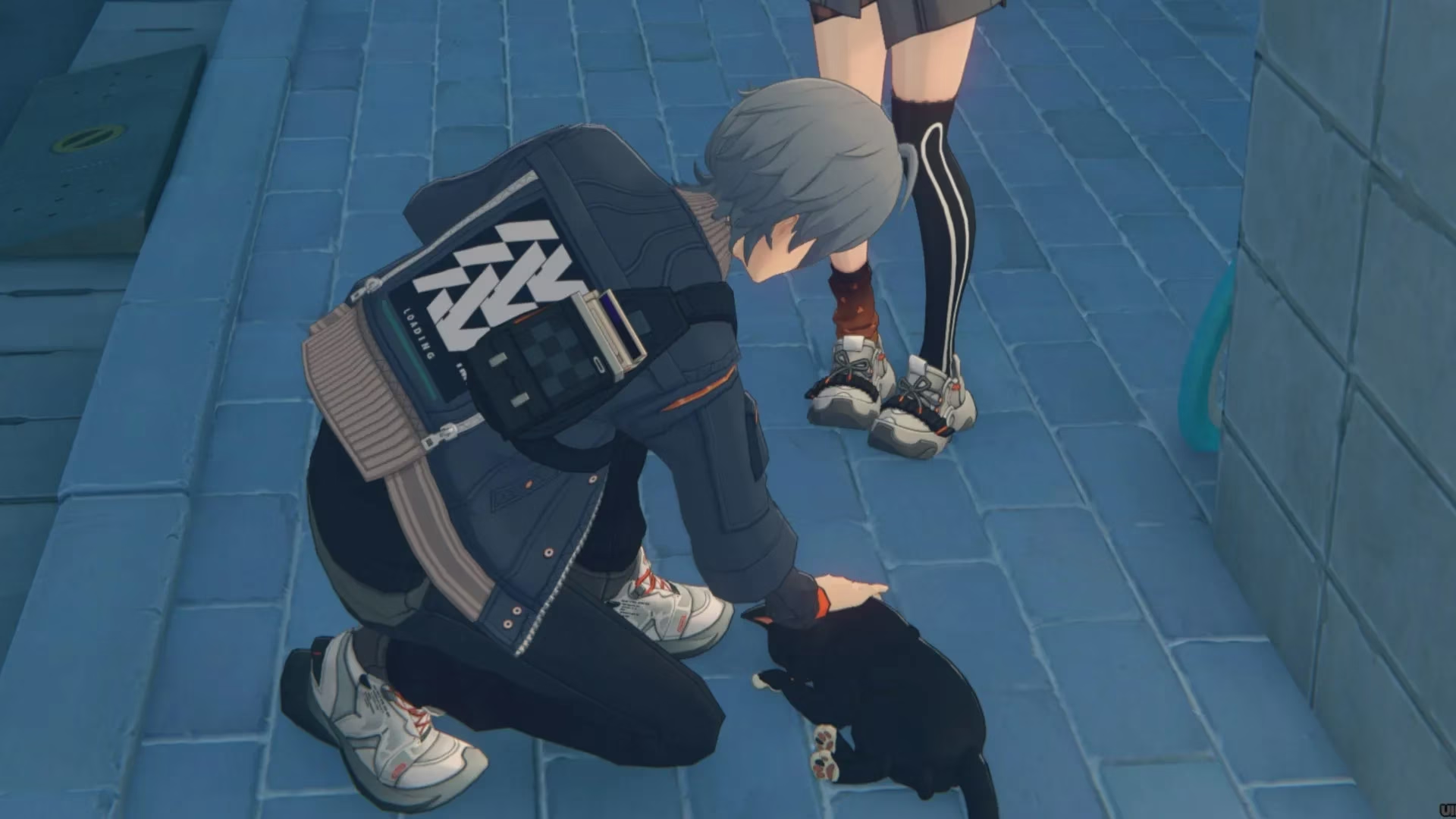
First things first: you can’t just whip out your camera the moment you step off the Bangboo bus. Like most good things in life—and in New Eridu—you gotta earn it. The game makes you wait until you're about halfway through Chapter One. The pivotal moment arrives when you have a heart-to-heart with your sibling behind the iconic Arcade. They’ll be hanging out next to a cat who probably knows more about the city's secrets than you do. After a chat, you'll get your first official assignment: snap a pic of that furry enigma. Do it, and voila! The camera function is yours to command from that point forward. It’s like a rite of passage, but with less ceremony and more meowing.
The Art of the Snap: A Step-by-Step Guide
Alright, you've got the gear. Now, how do you use this thing? Don't worry, it's not rocket science, though in New Eridu, it might as well be.
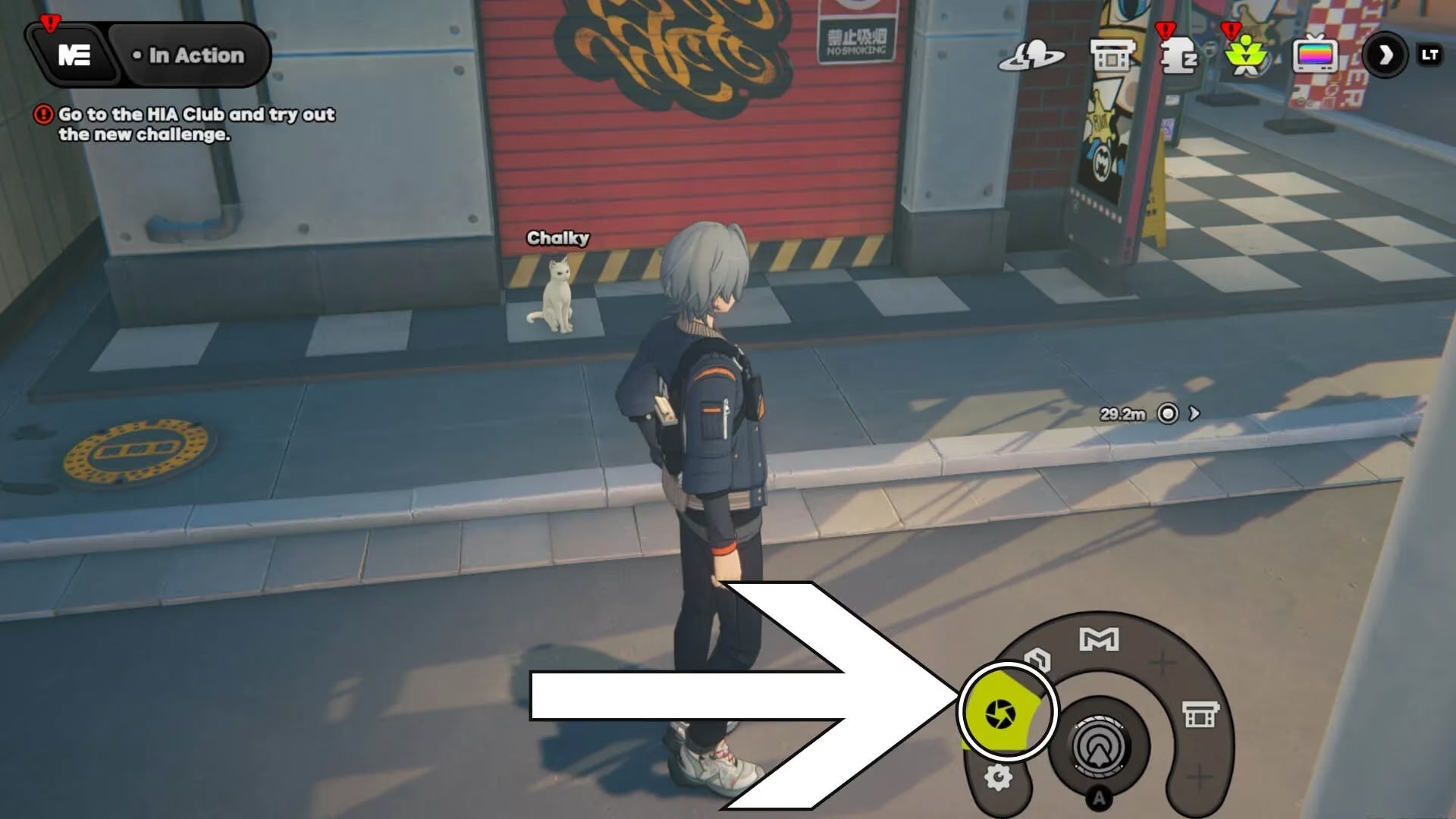
- Accessing Your Camera: While exploring the open world of the city (sorry, no Hollow photography allowed—safety first!), look to the bottom-right corner of your screen. See that quick-access menu? The icon on the far left, the one that looks like a little circle, is your ticket to creativity. Tap it, and your camera lens opens up to the world.
-
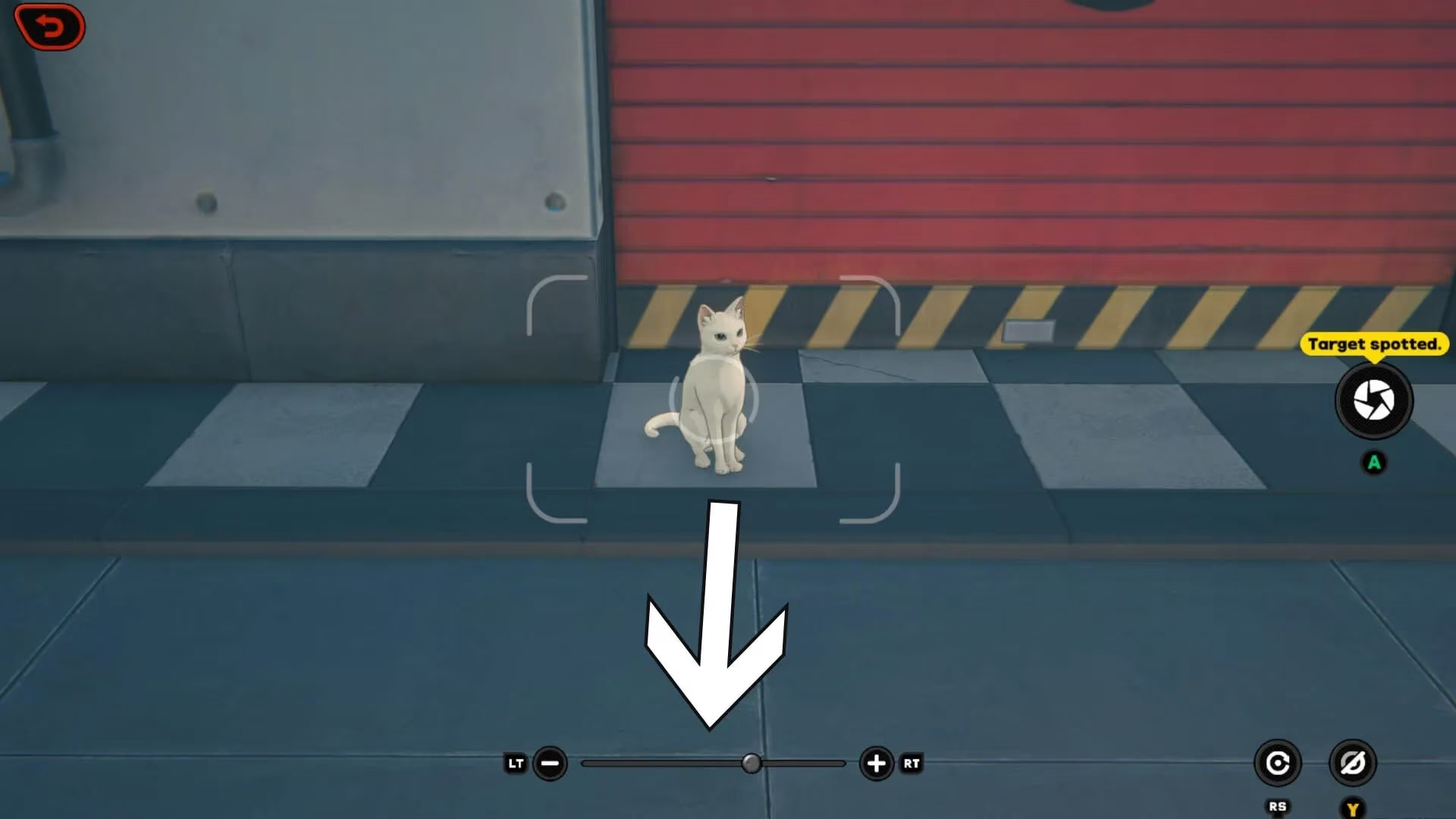
Framing Your Shot: Once the camera is active, you're in control. You can:
-
Zoom In & Out: Use the prompts at the bottom of the screen to get closer to that mysterious graffiti or pull back for a sweeping shot of the Waterfall Noodle Shop's glorious signage.
-
Move Around: You're not a statue! You can wiggle your character slightly to find that perfect, cinematic angle. Want a dramatic low-angle shot of a towering Bangboo? Go for it!
-
-
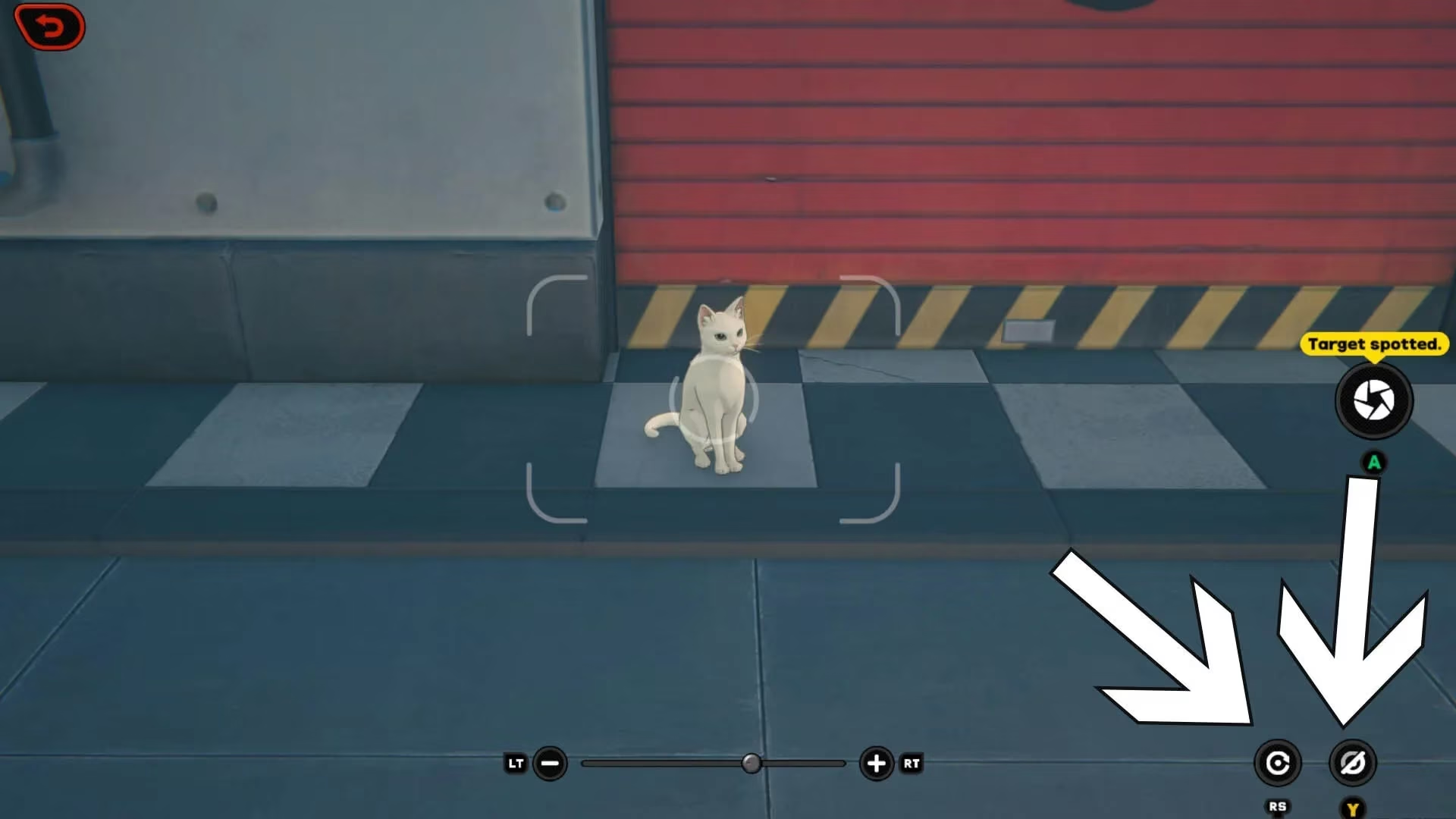
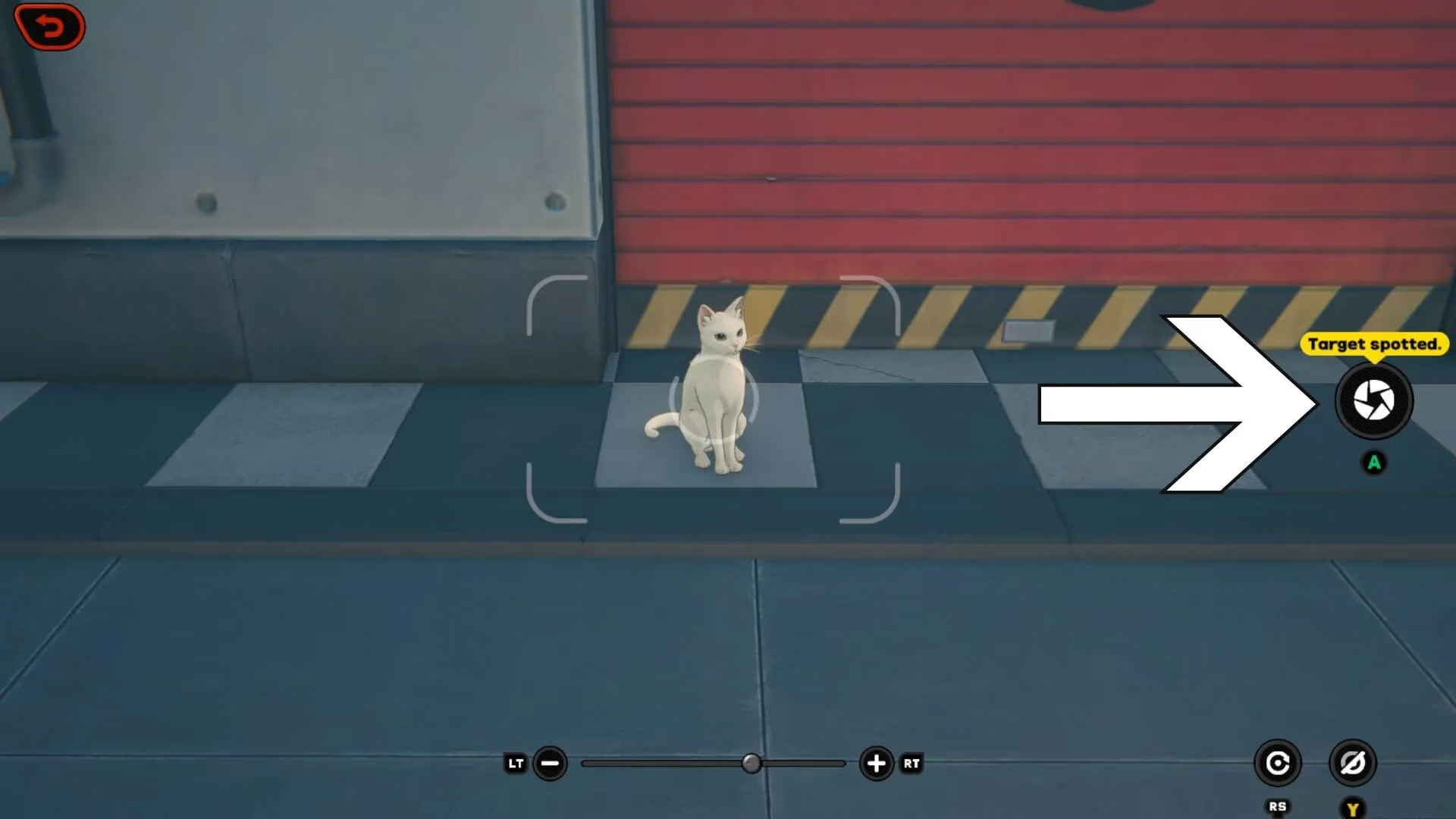
Camera Controls – The Nitty-Gritty: In the bottom-right corner, you'll find two more handy icons.
-
The Reset Button (Left): Messed up your framing completely? This little guy snaps the camera back to its default position. A true lifesaver when you get over-enthusiastic with the angles.
-
The Hide UI Button (Right): Want a clean, screenshot-worthy view without all the buttons and guide lines cluttering your masterpiece? This button makes them vanish like a Hollow at dawn.
-
- The Big Moment – CAPTURE!: When everything looks just right—the lighting, the pose, the cat's disapproving glare—hit the Capture icon. It's the prominent button on the right side of your screen. Go on, don't be shy!
After the Click: What Now?
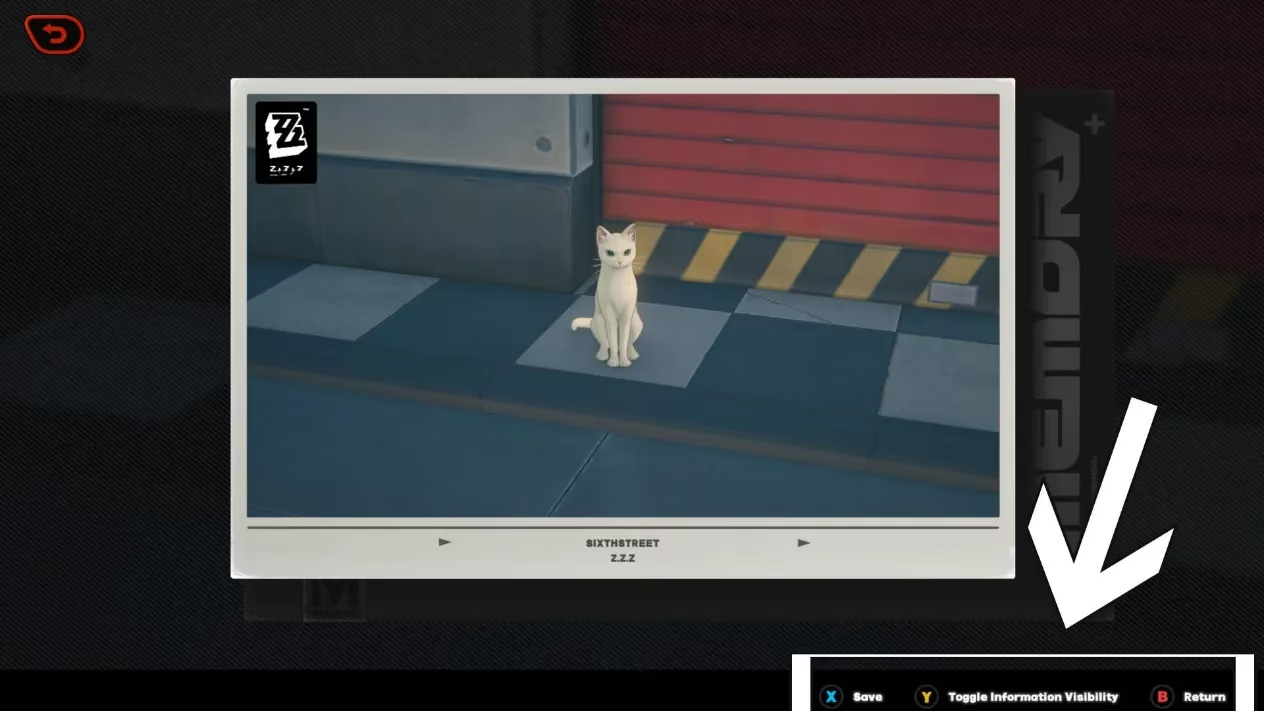
You've taken the photo. Now what? The game doesn't just toss it into the digital void. You're taken to a preview screen where you can admire your handiwork. Here’s your post-production suite:
| Option | What It Does |
|---|---|
| Save Image | Keeps a copy for your in-game album and, presumably, for bragging rights on the Inter-Knot. |
| Toggle Info | This is a big one. You can choose to show or hide your UID and Inter-Knot name from the image. Perfect for when you want to share a cool shot without doxxing yourself to the entire city. Privacy matters, even in 2026! |
| Retake | Not happy? The subject blinked? A Bangboo photobombed you? No problem. Head back to the camera and try again. Practice makes perfect! |
Why Bother? More Than Just Cat Pics
Sure, the daily tasks might send you on a wild cat chase, but the camera's potential is way bigger. Think about it:
-
Document Your Journey: That first major boss fight, your team hanging out at the ramen shop, the breathtaking view from a hidden rooftop—these are memories worth keeping.
-
Creative Expression: New Eridu is a visual feast. With the hide UI function, you can take stunning, clean screenshots that look like official concept art. Your social media feeds will thank you.
-
Discovery: Sometimes, looking at the world through a lens makes you notice details you'd otherwise sprint past. Who knows what secrets you might spot?
So there you have it. The camera in Zenless Zone Zero is a simple tool with a lot of heart. It encourages you to pause in the middle of the chaos, appreciate the artistry of the world, and maybe make a few furry friends along the way. Now get out there and start snapping! The city's waiting for its close-up. And hey, if all else fails, just remember: the cats are always a reliable subject. They've been practicing their poses for years.
Comments